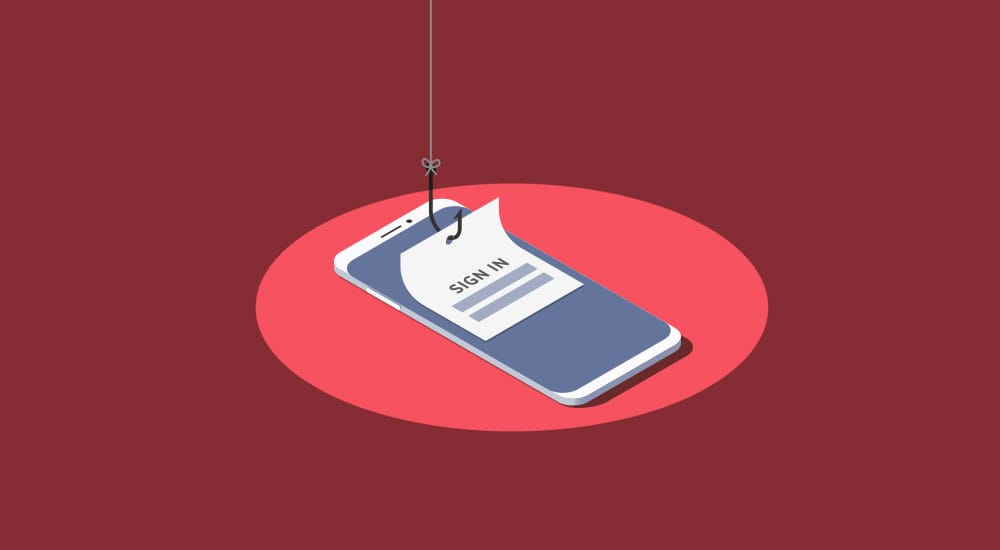
What phishing is, how to spot a phishing email, the most common subject lines attackers use, and how IT Solutions Technology Partners helps businesses train their teams to stop clicking.
Phishing is a form of social engineering in which attackers trick users into providing sensitive information or taking a harmful action, most often through a deceptive email or text message. The safest habit is to distrust unexpected requests, verify them through a channel you trust, and report anything suspicious. IT Solutions Technology Partners helps businesses lower phishing risk with security awareness training, phishing simulations, and layered technical controls.
What is phishing?
Phishing is a form of social engineering in which users are tricked into providing sensitive information. The original goal was to steal credentials and corporate data, but attackers now also use phishing to trick victims into launching malicious files, opening links to infected websites that let them take over corporate systems, or deploying ransomware.
Company employees, including management, are particularly vulnerable because they offer easy entry into networks, systems, and data stores. Phishing is not new. The first attacks targeted AOL employees in the 1990s, yet phishing still works frequently because it exploits human trust rather than technical weaknesses. With proper education, users can be prepared to identify, avoid, and report phishing.
How do you identify a phishing email?
Phishing emails often impersonate a company you know or trust, such as a bank, credit card company, or an app, website, or store you use. They tell a story or issue a threat to pressure you into acting. Common pretexts include:
- An account has suspicious activity or unusual log-in attempts.
- There is a problem with an account or with payment information.
- A payment or deposit was rejected and cannot be processed until you confirm personal information.
- An invoice or bill is due or overdue and should be paid now.
- An account was overpaid or you were overbilled, and you can click a link to request a refund.
- A cloud service or online tool had an outage and you must log back in to restart it.
Because phishing emails are often written by people unfamiliar with the recipient’s language, or generated automatically, they may look “off,” with bad grammar, spelling mistakes, or unusual or generic greetings. Text messages are now a common attack vector as well.
When a message tries hard to look real, check the details. Telltale signs include:
- Oddities in email addresses, links, and domain names, for example www.landsend33.com or office365protectionservices@microsoft.company.com.
- Attachments you are urged to download right away.
- Requests to log in or provide credentials, payment information, or other sensitive data to “confirm your identity.”
What are the most common phishing email subject lines?
Attackers rely on urgency, curiosity, and even a desire to be security-conscious to get people to click. Subject lines that imply a security problem, a package delivery, or an internal document tend to be among the most clicked. Illustrative examples include:
- Password check required immediately
- You have a new voicemail
- Change of password required immediately
- You’ve received a document for signature
- FedEx: Sorry we missed you
- Microsoft: Multiple log in attempts
- Unauthorized login attempt
Why do people fall for phishing emails?
People fall for phishing because it exploits human instincts, not just technical gaps. Attackers use urgency to make users act without thinking, curiosity or a sense of mystery to make them click, and sometimes a desire to be security-conscious against them.
How do you stop employees from clicking?
The most effective defense combines technical controls with ongoing user education. We recommend a layered program built on three elements:
- Awareness training. The ITS security team trains staff on what to look for and keeps them current on the latest scams, intrusion methods, and tactics, which reduces user-based security breaches.
- Phishing simulation. Simulated phishing tests give employees first-hand awareness and reveal which users are the weakest links, so you can direct extra education and protection where they are needed most.
- Advanced technology. A proactive, multi-layered security approach can stop a threat before it becomes a problem. The ITS advanced managed security offering provides that layer.
How does IT Solutions Technology Partners help reduce email phishing risk?
IT Solutions Technology Partners is a managed IT and cybersecurity provider, founded in 1994 and operating from 14 offices, whose security team helps businesses train employees to identify, avoid, and report phishing. Phishing is a serious problem, but it is one element of cyber risk in a landscape of ever-evolving threats, so ITS pairs awareness training and phishing simulation with layered technical controls.
To discuss cybersecurity awareness training for your staff, contact IT Solutions Technology Partners at 1.866.PICK.ITS (1.866.742.5487).
Frequently asked questions
How is email phishing different from pop-up phishing? Email phishing arrives in your inbox (or by text) and impersonates a trusted sender to trick you into clicking or sharing information. Pop-up phishing starts in the browser, using fake on-screen alerts, and is often a tech-support scam. Both are social engineering, and the same core habits apply: distrust unexpected requests and verify through a trusted channel.
Can phishing lead to ransomware? Yes. Beyond stealing credentials, attackers use phishing to trick users into launching malicious files, which can open a link to an infected site or deploy ransomware on the system. This is one reason layered defenses and fast reporting matter.
Does security awareness training actually reduce phishing? Yes. Combining phishing simulations with security awareness training measurably lowers click rates over time, because employees learn to recognize the pretexts and warning signs and to report suspicious messages quickly. (See the flagged stat above, which should be updated with a current, cited figure.)
What should I do if I clicked a phishing link or gave out information? Report it to your IT or security team immediately, take a screenshot if you can, and close the browser or message. Fast reporting gives your team the best chance to block similar attacks, protect other users, and contain any damage.